
Introducing CogmemUI: Every Ai Model, One Interface
TL;DR: CogmemUI is a free, universal Ai interface that lets you chat with 14 Ai models from 6 providers (Claude, GPT, Gemini, Grok, DeepSeek, Mistral) in one place. It includes persistent memory powered by CogmemAi, voice chat, a model arena for blind comparisons, MCP server connectivity, 35+ slash commands, 11 server tools, and more. Bring your own API keys — no subscription required. Try it at hifriendbot.com/cogmemui.
We built CogmemUI because we were tired of the same problem every Ai power user faces: too many tabs, too many logins, too many conversations that start from scratch.
Today, we’re making it available to everyone — completely free.
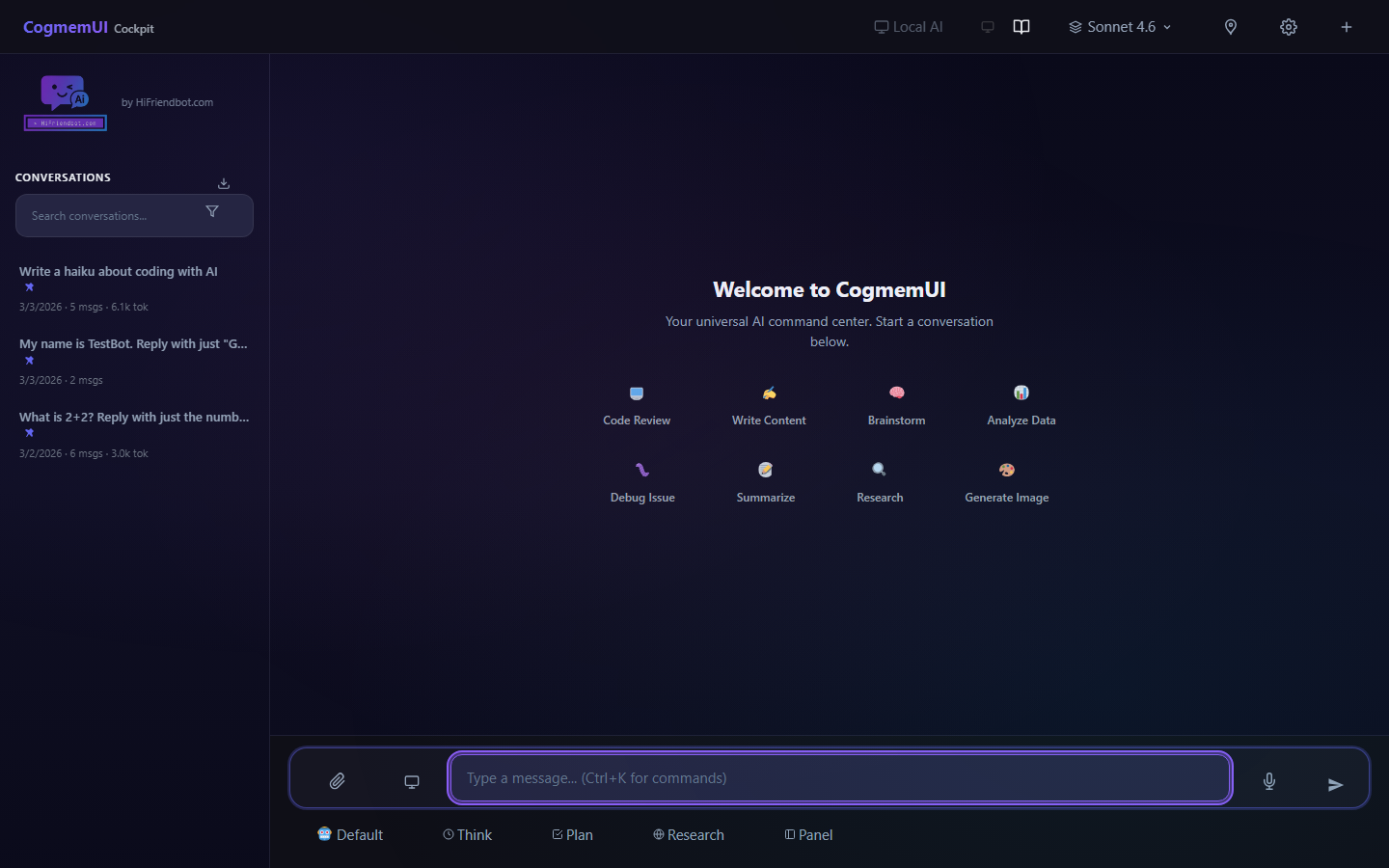
What is CogmemUI?
CogmemUI is a universal Ai interface that brings 14 models from 6 providers into one workspace. Claude, GPT, Gemini, Grok, DeepSeek, and Mistral — all accessible from a single screen, with persistent memory that carries your context across every conversation.
No more copying prompts between ChatGPT and Claude. No more re-explaining your project to every new chat. No more paying for features you can get for free.
Why We Built It
Every Ai platform wants to lock you in. ChatGPT doesn’t talk to Claude. Gemini doesn’t know what you told Grok. And none of them remember you tomorrow.
We thought that was backwards. Your Ai should work for you, not for the platform. So we built an interface where:
- You own your keys. Bring your own API keys from any provider. You pay them directly — we don’t mark up anything.
- You own your memory. CogmemAi persistent memory works across all models and all conversations. Switch from Claude to GPT and your context comes with you.
- You own your workflow. 35+ slash commands, 11 server tools, visual workflows, a canvas editor, model arena, document RAG, voice chat, and app deployment — all in one place.
What’s Inside
Here’s what you get, out of the box, for free:
14 Ai Models
Opus 4.6, Sonnet 4.6, Haiku 4.5 (Anthropic), GPT-4o, GPT-4o Mini, o1 (OpenAI), Gemini 2.0 Pro, Gemini 2.0 Flash (Google), Grok 3, Grok 3 Mini (xAI), DeepSeek V3, DeepSeek R1 (DeepSeek), Mistral Large, Mistral Small (Mistral). Switch models mid-conversation. Let Auto Router pick the best one for each message.
Add Your API Keys in Seconds
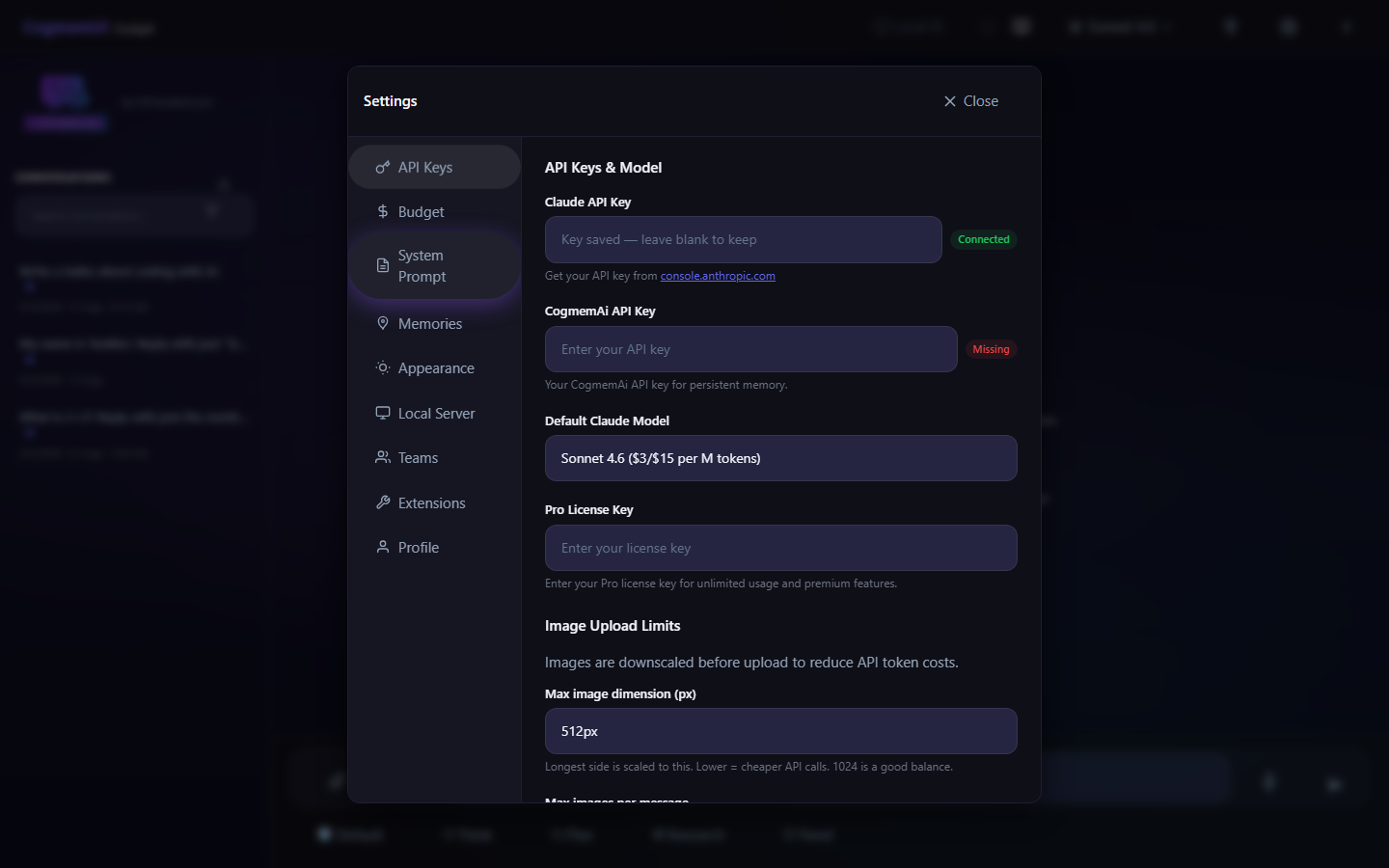
Open Settings, paste your key, and you’re ready. Each user manages their own keys — encrypted and private.
Persistent Memory
Powered by CogmemAi, your Ai remembers your preferences, project context, architecture decisions, and coding patterns across every conversation. The more you use it, the smarter it gets.
35+ Commands at Your Fingertips
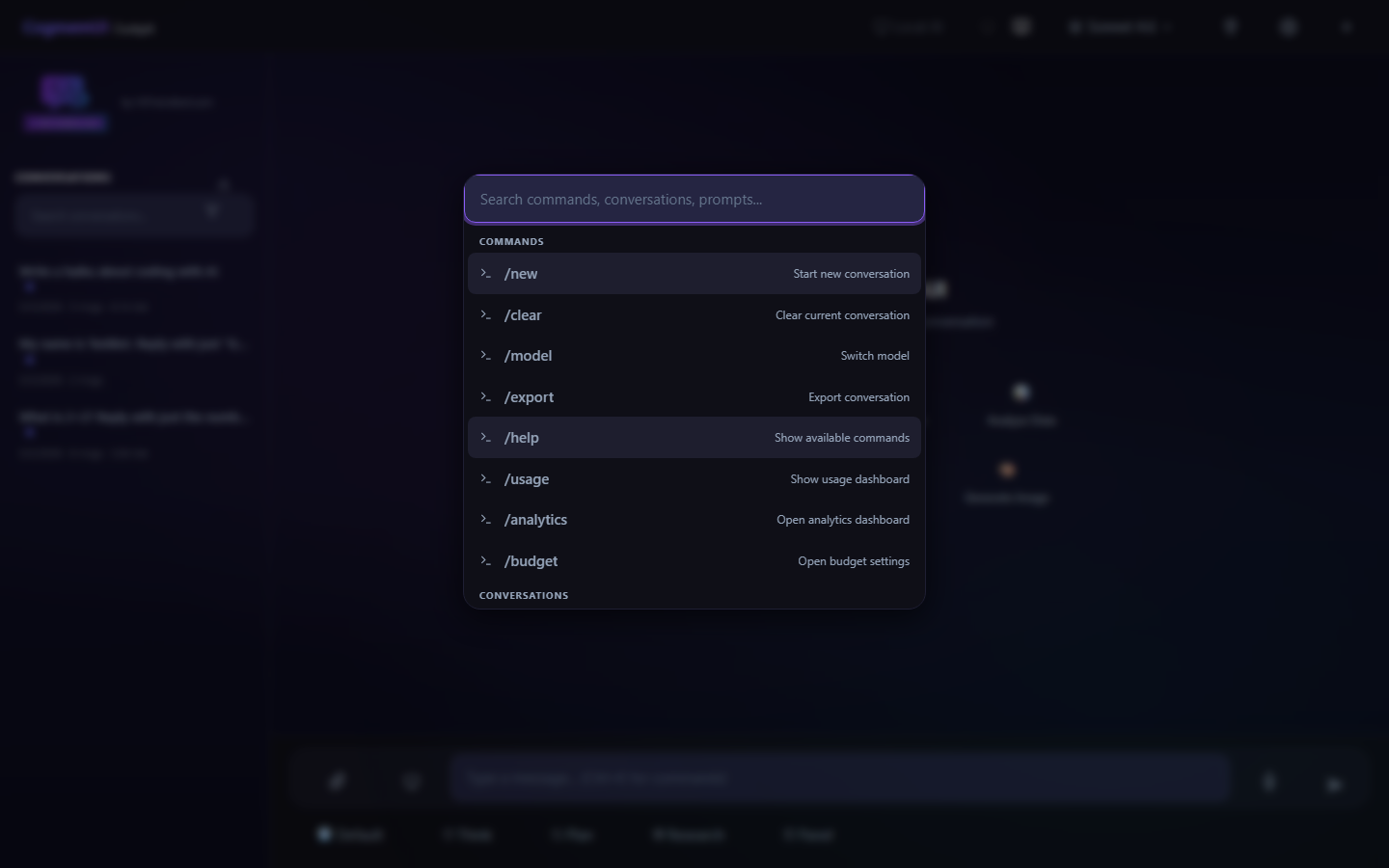
Type / to access analytics, budgets, workflows, templates, personas, and more. Or press Ctrl+K to open the command palette and search for anything.
Real Tools
Your Ai doesn’t just talk — it acts. Web search, image generation, file management, code execution, and more. Tools are used automatically based on your request.
Voice Chat
Full voice conversation mode with continuous listening, auto-send after silence, responses read aloud, and tap-to-interrupt.
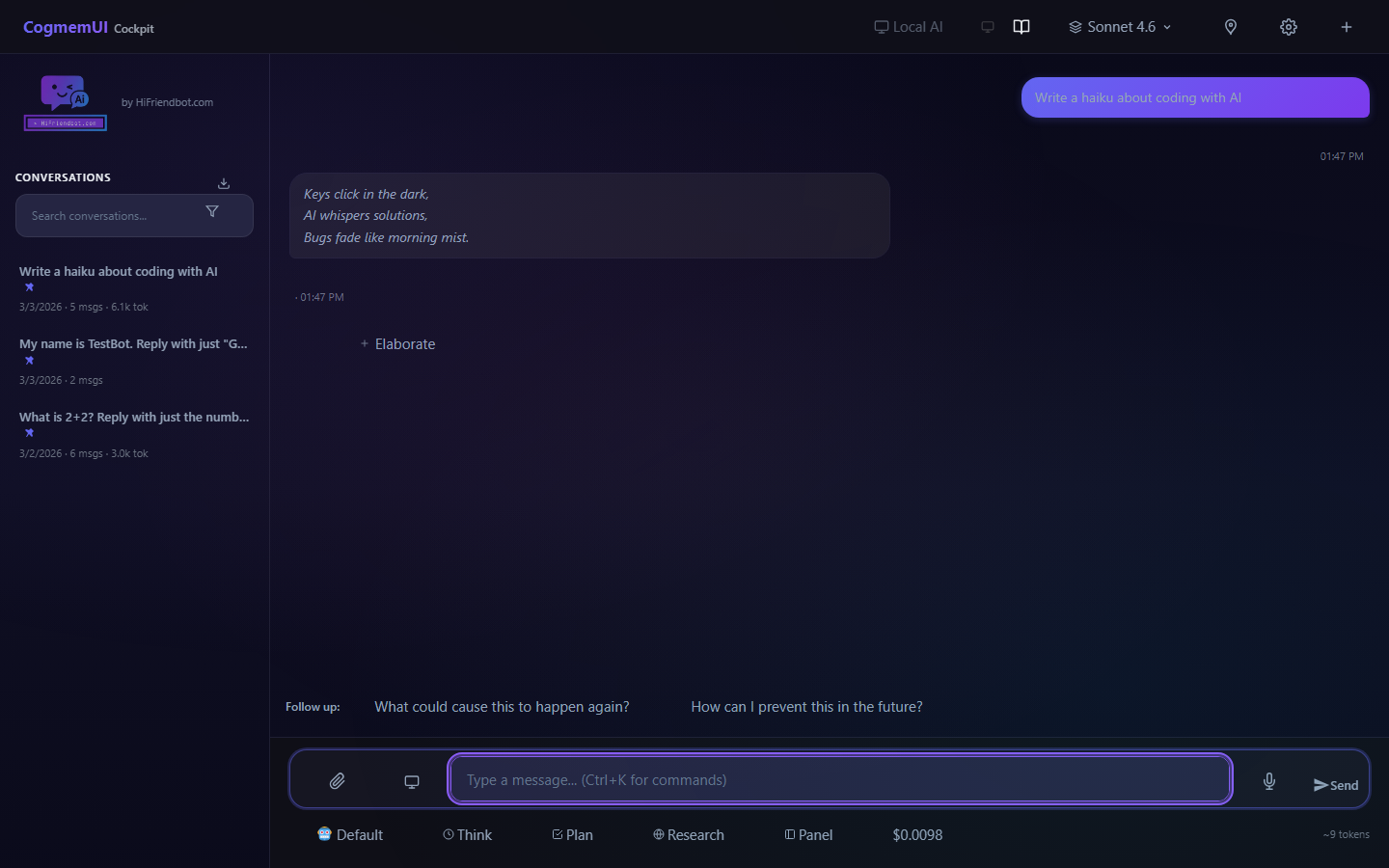
Real Conversations with Real Ai
Canvas Editor
Side-by-side code and content editing with live preview, version history, and Ai-powered actions. Create HTML apps and deploy them live with one click.
Visual Workflows
Drag-and-drop workflow builder for multi-step Ai automation. Chain prompts, conditions, tools, and transforms together. Watch them execute in real-time.
Document RAG
Upload PDFs, DOCX, and text files. They’re automatically chunked and indexed. The Ai references your documents in conversation with source citations — no extra steps.
4 Themes Including Terminal Mode
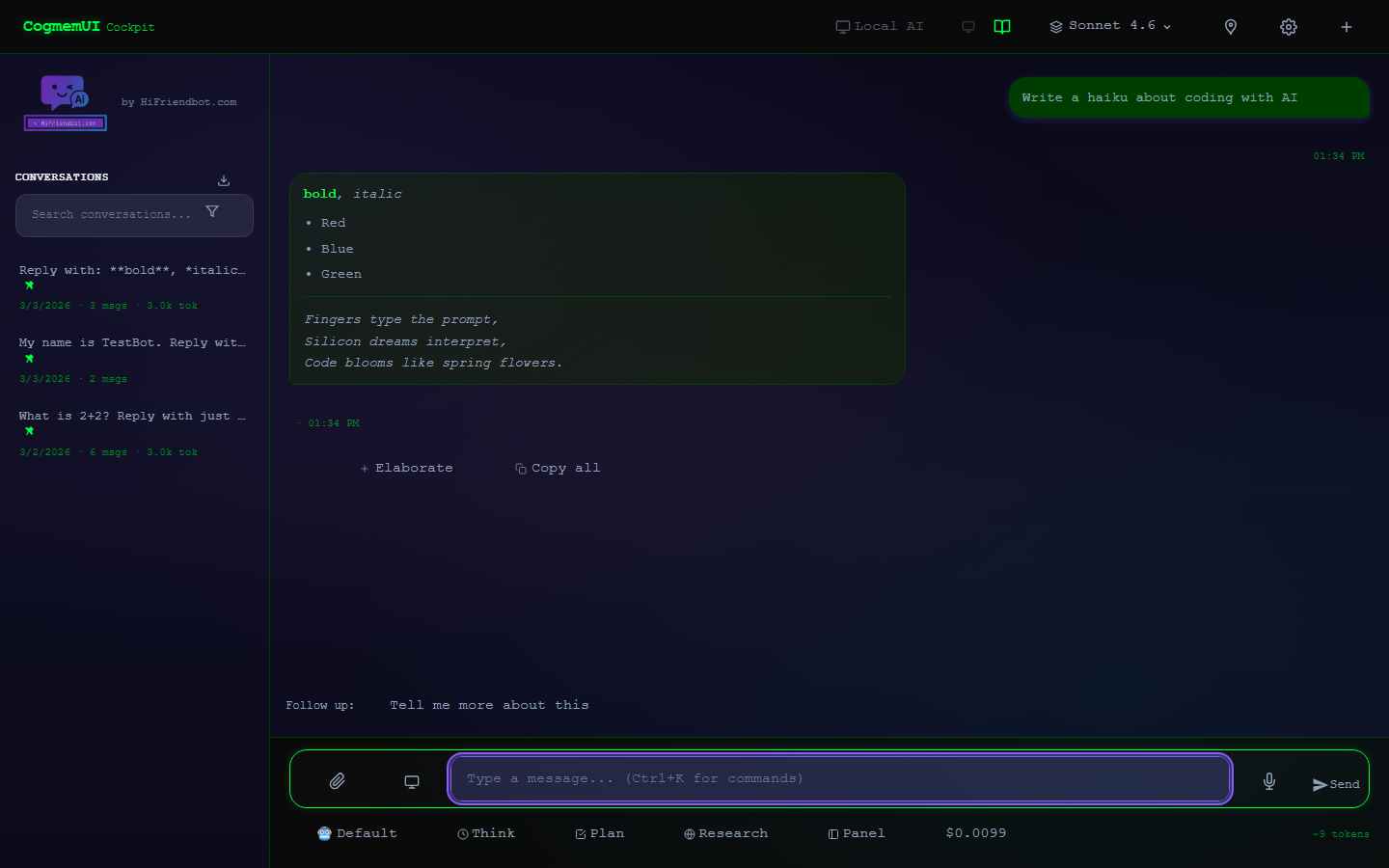
Choose from Light, Dark, Auto, or Terminal. Team collaboration with presence indicators. Extensions API for custom tools. Personas. Scheduled messages. Mind maps. Git integration. Budget controls. Analytics dashboard. PDF export.
How to Get Started
- Create a free account at HiFriendbot.com (if you don’t have one already)
- Open CogmemUI
- Add one API key in Settings > API Keys (e.g. your Anthropic key for Claude)
- Start chatting — that’s it
The whole thing takes about 60 seconds.
It’s Free. Really.
CogmemUI is free to use. There’s no subscription, no credit card, no hidden fees. You bring your own API keys and pay each provider directly for what you use. We built this because we wanted it ourselves — and we think you will too.
Optional: Add a free CogmemAi key for persistent memory across sessions.
Check out the full documentation for a comprehensive guide to every feature, command, and tool.
— The HiFriendbot Team