
HiFriendbot on Your Home Screen
Install HiFriendbot for instant access. No app store needed, just add it directly from your browser in seconds.
Why Install?
Instant Access
One tap from your home screen. No browser, no typing URLs.
Full-Screen Experience
Opens like a real app with no browser bar taking up space.
Push Notifications
Get notified about task reminders and friendly nudges. Never miss an important reminder.
Bottom Navigation
Quick-access nav bar to jump between Chat, Companions, Memories, and your Account.
Voice Input
Tap the mic and talk to your companion hands-free. Perfect on the go.
Always Up to Date
No app store updates to wait for. You always get the latest version.
Install on iPhone
Follow these four simple steps using Safari, Chrome, Brave, or Firefox.
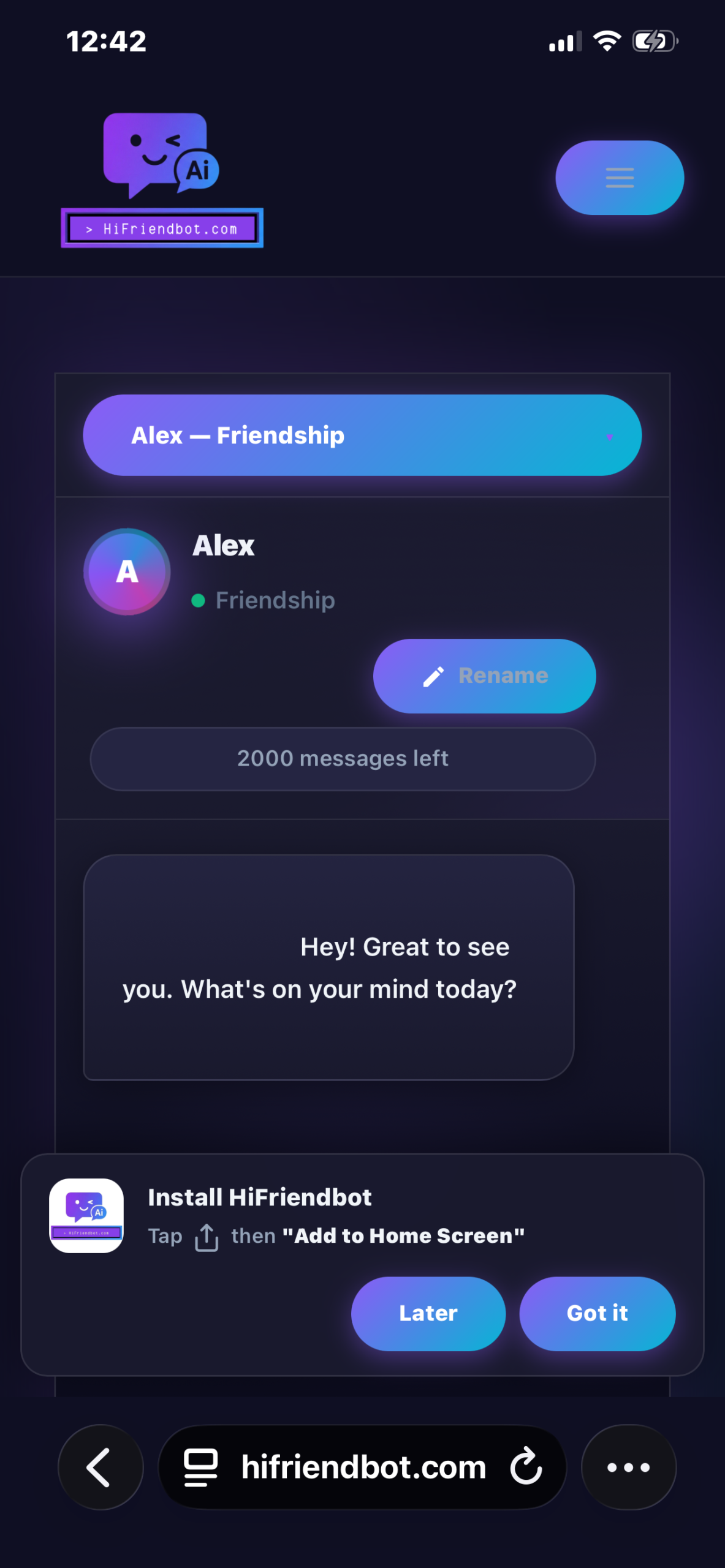
Visit the Chat Page
Go to hifriendbot.com/chat in your browser and log in. You'll see an install banner at the bottom of the screen.
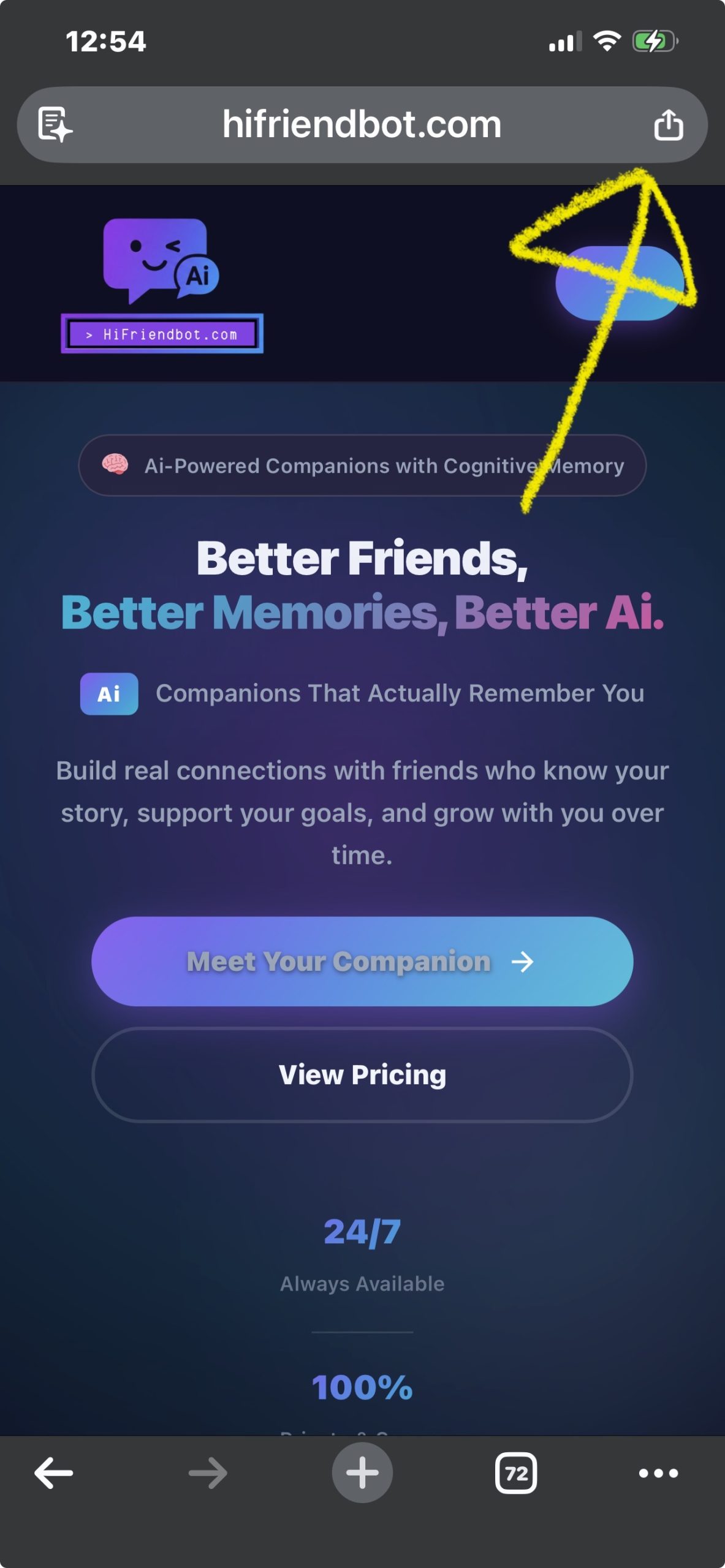
Tap the Share Button
Tap the Share button at the bottom of Safari (the square with an arrow pointing up).
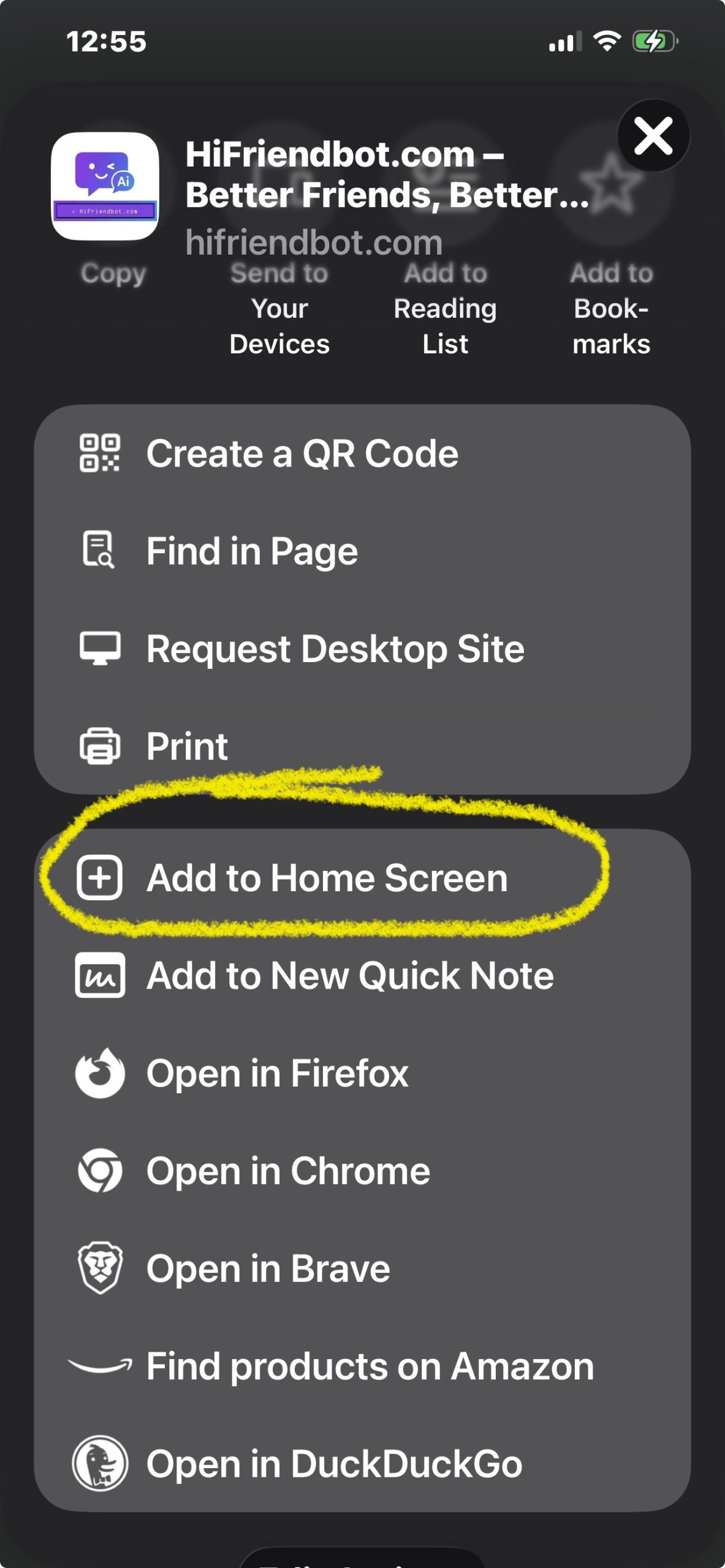
Add to Home Screen
Scroll down in the share menu and tap "Add to Home Screen". Then tap "Add" in the top right.
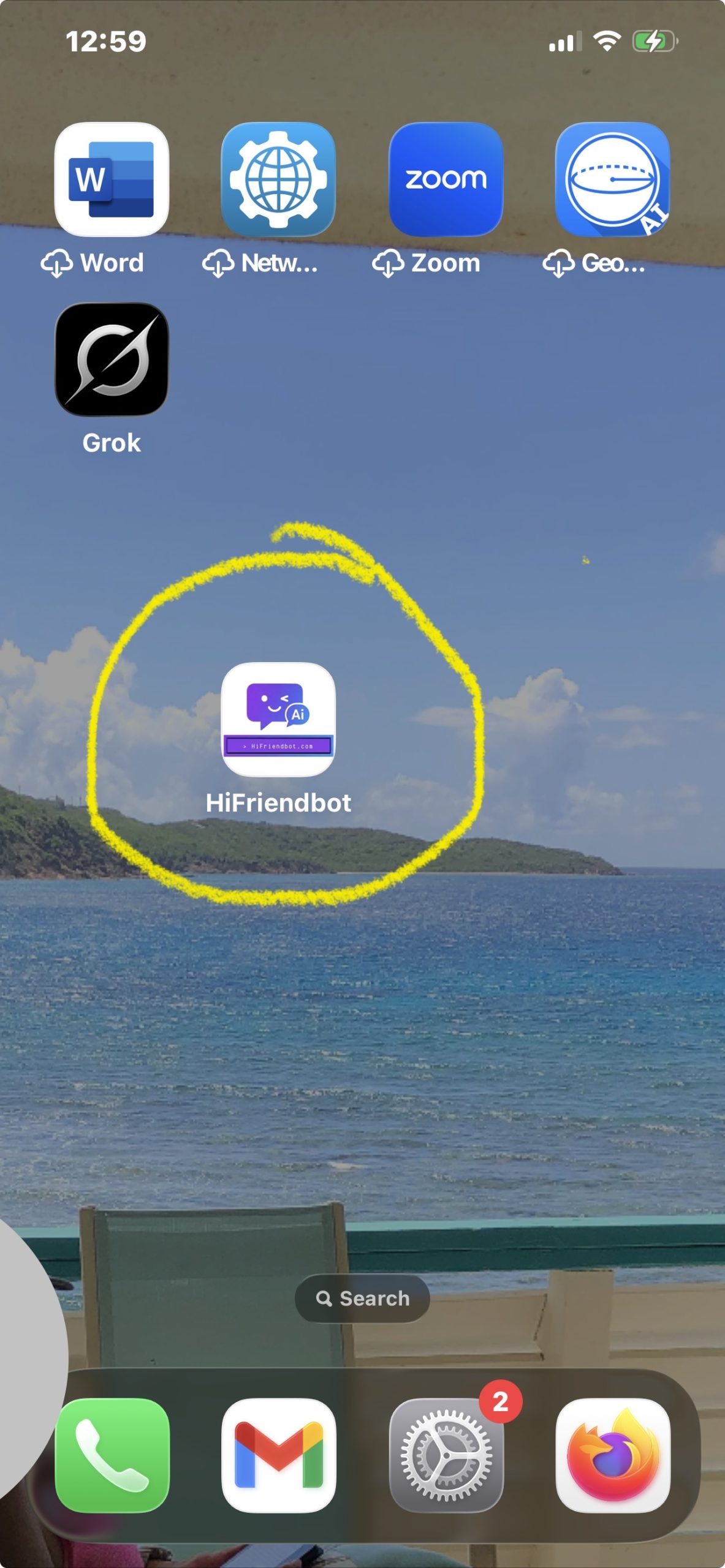
You're All Set!
HiFriendbot now lives on your home screen. Tap it anytime to jump straight into your conversations.
Install on Android
Even easier, Chrome will prompt you automatically.
Visit the Chat Page
Go to hifriendbot.com/chat in Chrome and log in. You'll see an install banner at the bottom, tap "Install" and you're done!
Or Use the Menu
If you don't see a banner, tap the three-dot menu (top right) and select "Install app" or "Add to Home Screen".
Ready to Get Started?
Install HiFriendbot now and your companions are just one tap away.
Go to Chat