
One Interface.
Every Ai Model.
Chat with Claude, GPT, Gemini, Grok, DeepSeek, and Mistral in one beautiful workspace. Persistent memory, voice chat, visual workflows, and 35+ tools, all free.
Free to use • Bring your own API keys • No credit card required
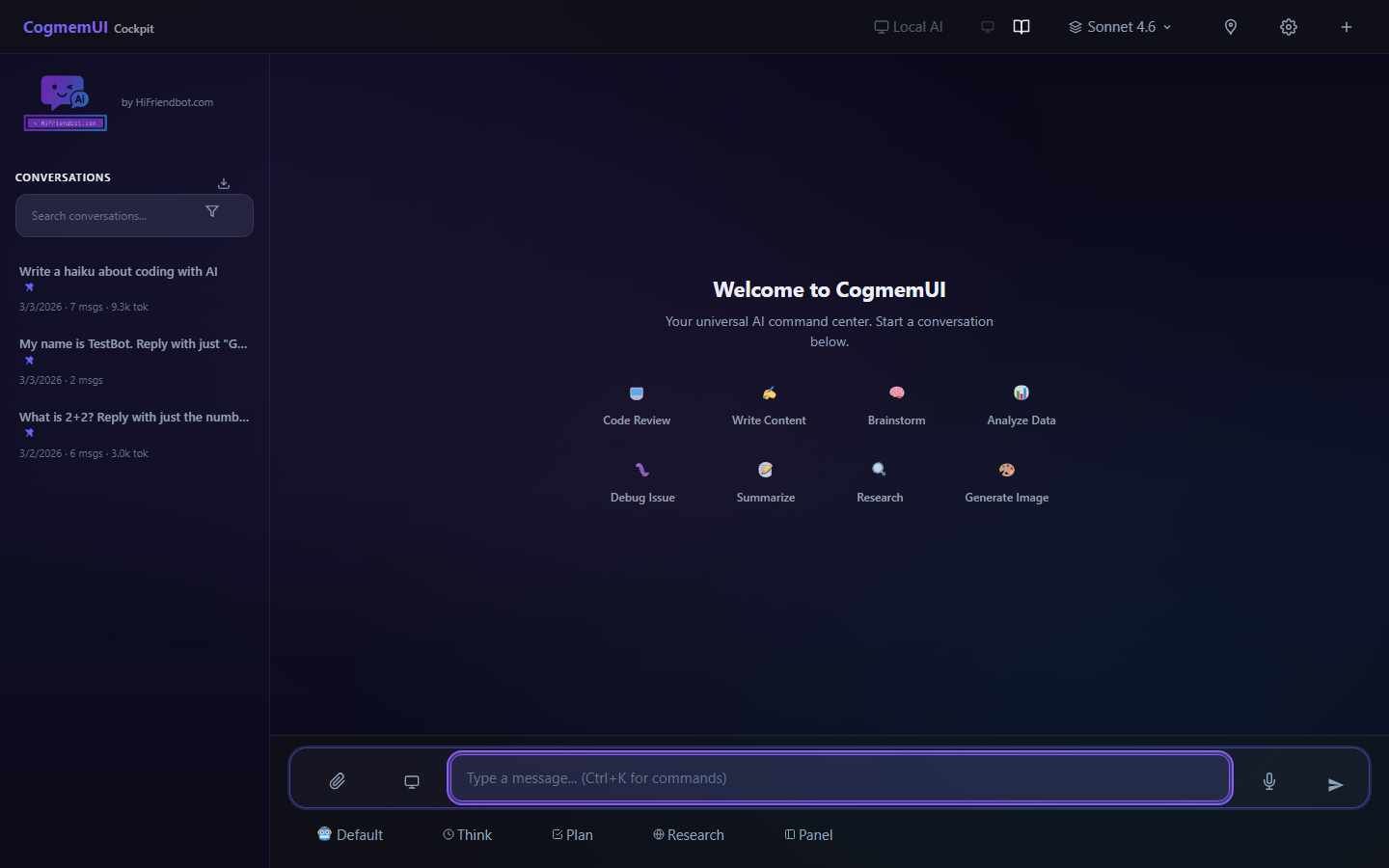
The Problem Every Ai User Knows
Tab Juggling
ChatGPT in one tab, Claude in another, Gemini in a third. Copying prompts between them, losing track of which model gave the best answer.
No Memory
Every conversation starts from zero. The Ai forgets your preferences, your projects, your decisions. You repeat yourself endlessly.
Limited Tools
Most Ai interfaces give you a text box and nothing else. No file management, no web search, no workflows, no code execution.
Everything You Need in One Place
14 Ai models from 6 providers, all accessible through one powerful interface.
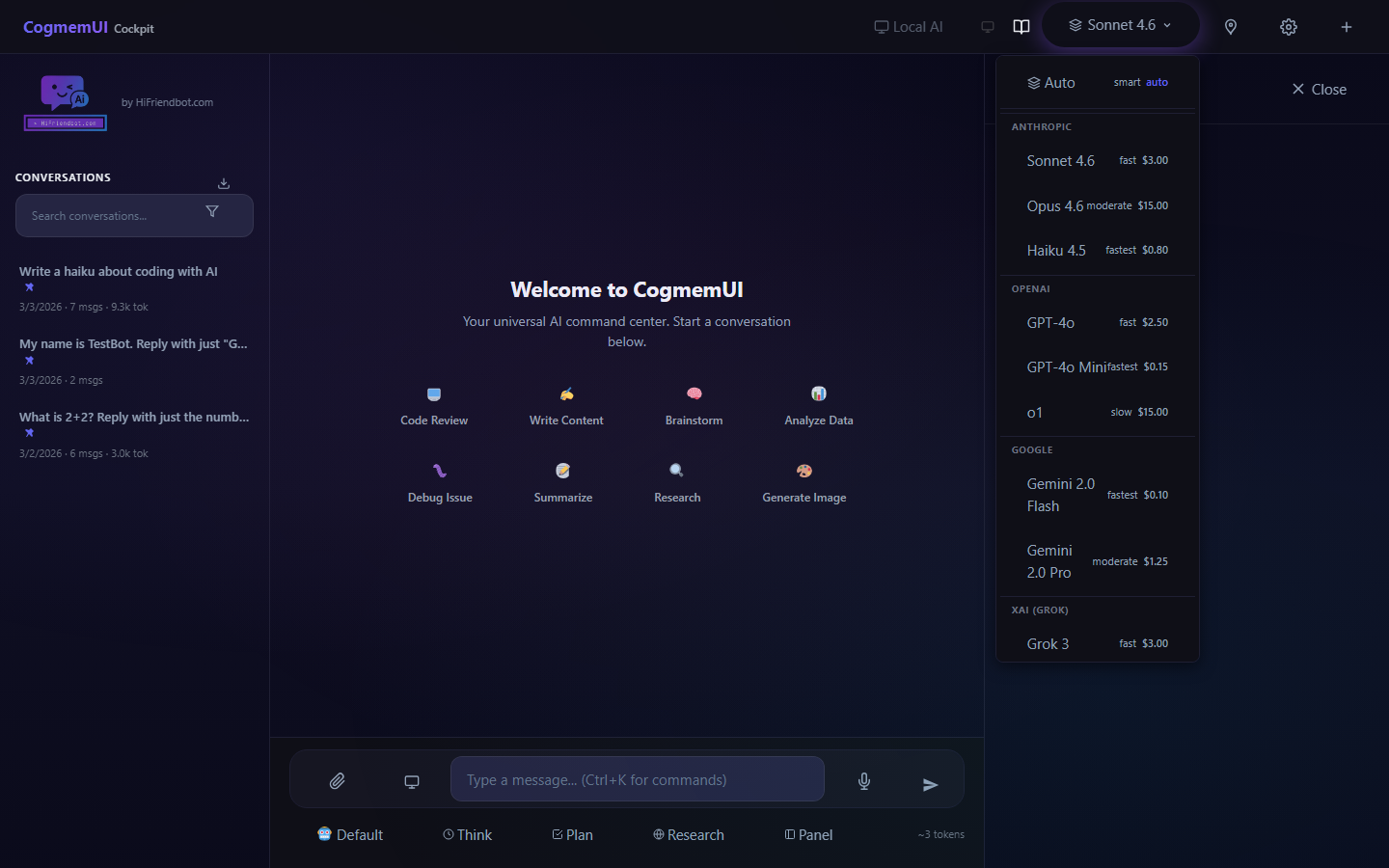
14 Models, One Click
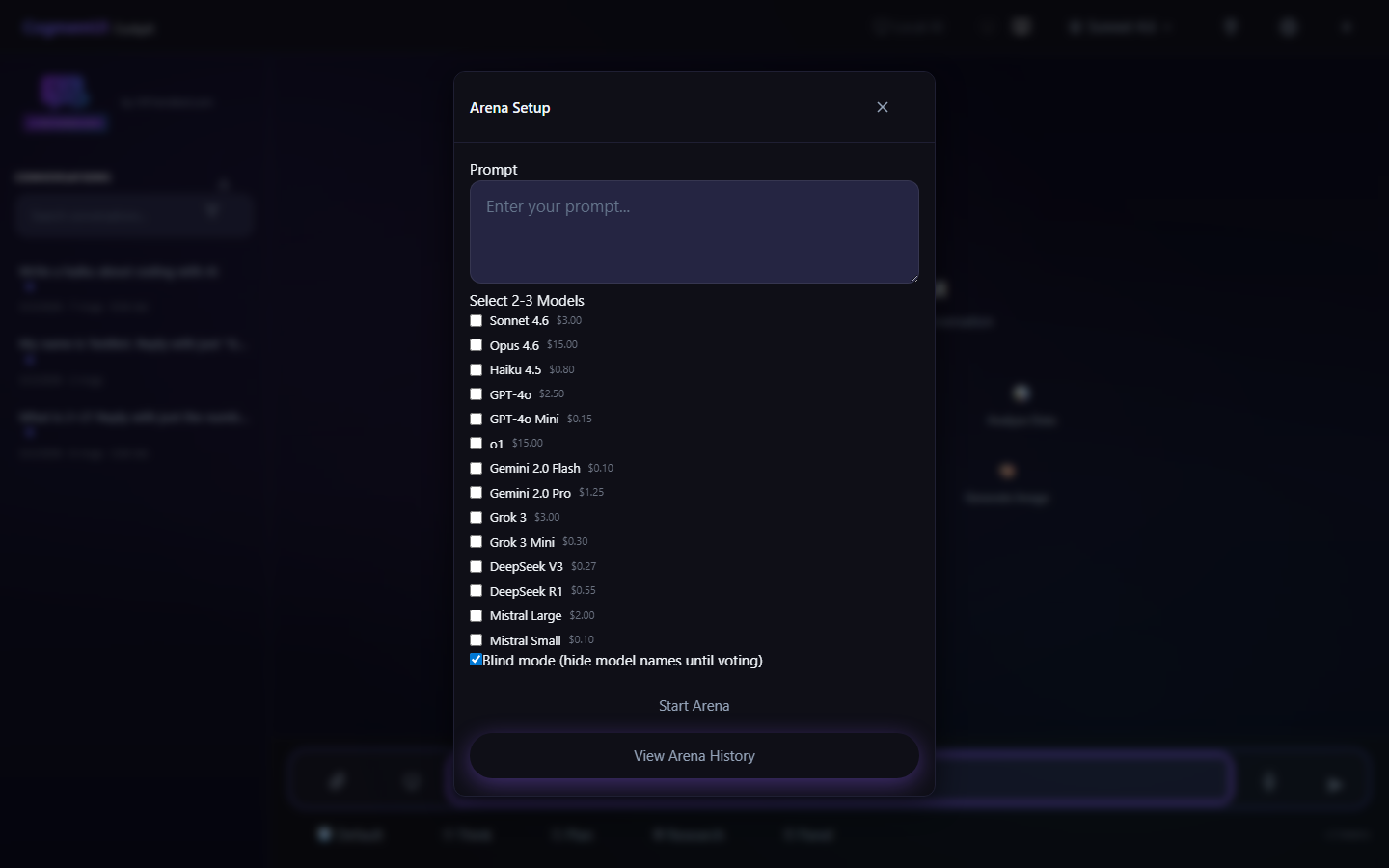
Switch between Claude, GPT, Gemini, Grok, DeepSeek, and Mistral instantly. Compare them side by side in Arena mode.
Persistent Memory
Powered by CogmemAi. Your Ai remembers preferences, project context, and decisions across every conversation.
11 Server Tools
Web search, image generation, file management, code execution, and more. The Ai uses tools automatically to complete your tasks.
Voice Chat
Full voice conversation mode with continuous listening, auto-send, Ai responses read aloud, and tap-to-interrupt.
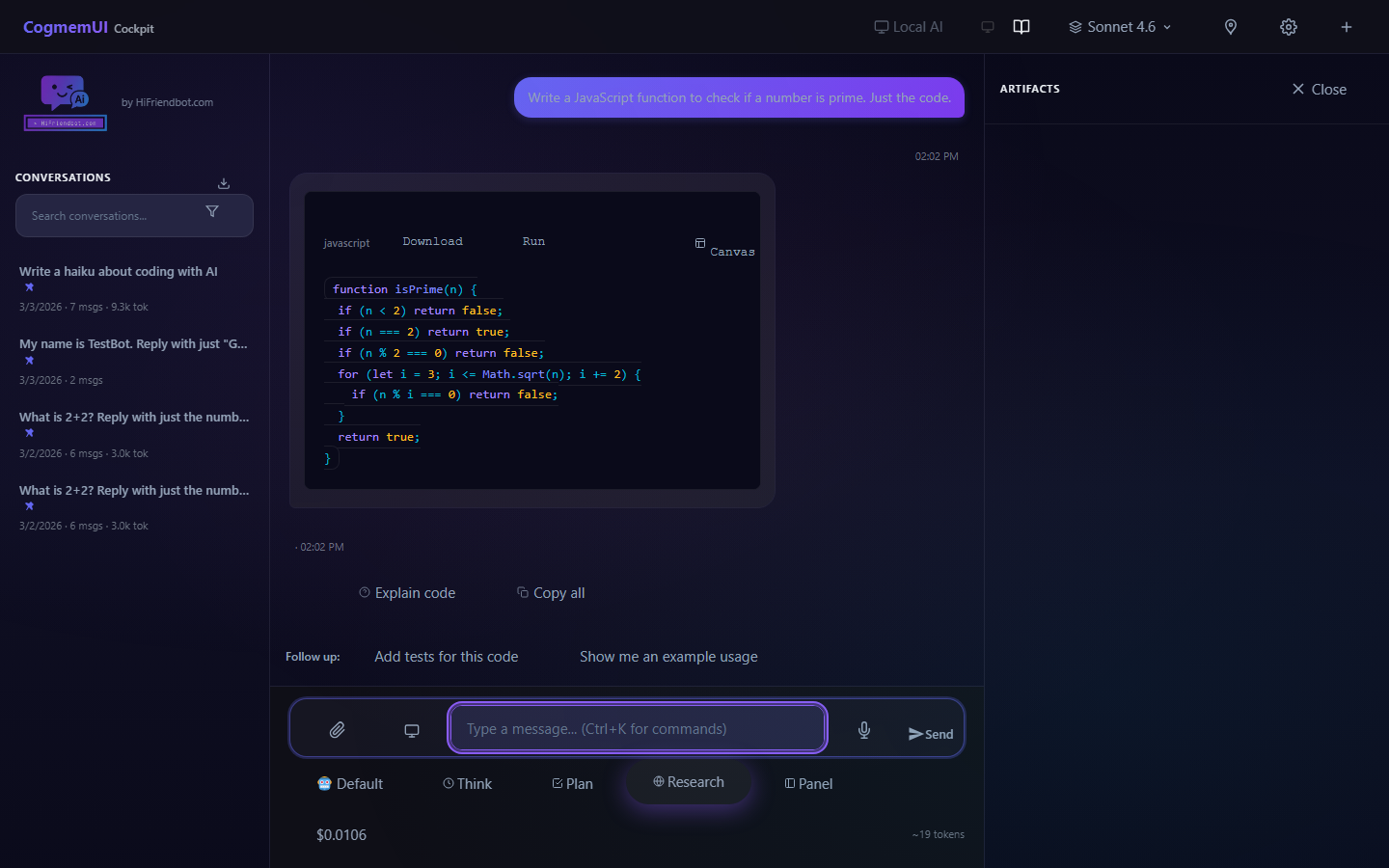
Canvas Editor
Side-by-side code and content editing with live preview, version history, and Ai-powered actions like Explain, Fix, and Expand.
Document RAG
Upload PDFs, DOCX, and text files. The Ai automatically references your documents in conversation with source citations.
Beyond Just Chatting
A full Ai workspace with tools no other interface offers.
Model Arena
Blind side-by-side comparison of 2-3 models. Vote on the best response, reveal model names, and track performance stats.
Workflow Builder
Visual drag-and-drop editor for multi-step Ai workflows. Nodes execute with real-time progress streaming.
App Deploy
Turn any HTML, JS, or SVG creation into a live web app with one click. Public/private toggle and embed snippets.
Extensions
Install custom slash commands, tools, UI panels, and event hooks. Build your own extensions with the CogmemUI API.
Team Collaboration
Share conversations with teammates. Presence avatars, typing indicators, and message attribution for group work.
Auto Router
Select "Auto" and CogmemUI picks the best model for each message based on task type and your budget settings.
14 Models. 6 Providers. Your Keys.
Bring your own API keys, you only pay the providers directly. Add one key to start, expand anytime.
Anthropic
Opus 4.6, Sonnet 4.6, Haiku 4.5
OpenAI
GPT-4o, GPT-4o Mini, o1
Gemini 2.0 Pro, Gemini 2.0 Flash
xAI
Grok 3, Grok 3 Mini
DeepSeek
DeepSeek V3, DeepSeek R1
Mistral
Mistral Large, Mistral Small
Start Chatting in 60 Seconds
Create your free account
Sign up at HiFriendbot.com. No credit card, no subscription, just an account.
Add an API key
Paste one provider key (e.g. your Anthropic key for Claude) in Settings. Your keys are encrypted.
Chat with any model
Pick a model, type a message, press Enter. Switch models anytime, compare them, let Auto Router pick for you.
Frequently Asked Questions
Is CogmemUI really free?
Yes. CogmemUI is a free hosted service. You bring your own Ai provider API keys, so you only pay each provider directly for what you use.
Do I need all 6 provider keys?
No. You only need one API key to get started. Add more providers whenever you want to explore other models.
Is my data secure?
Yes. All API keys and conversations are protected with quantum-safe encryption at rest, built to withstand both today's threats and tomorrow's quantum computers. Every encrypted payload includes a unique initialization vector and tamper-proof authentication tag. Your data is never shared with third parties and never used to train Ai models. Every endpoint requires authentication and verifies resource ownership. Each user's keys are stored in isolated, per-user encrypted storage that no other user or admin can access or decrypt.
Does it work on mobile?
Yes. CogmemUI is a Progressive Web App that works on any device. Install it to your home screen for a native app experience.
What is persistent memory?
Powered by CogmemAi, your Ai remembers preferences, decisions, and project context across all conversations. It gets smarter the more you use it.
Can I set spending limits?
Yes. Set daily and monthly budgets in Settings. Enable auto-downgrade to switch to cheaper models when approaching your limit.
Building Ai systems that need to remember?
CogmemAi gives any Ai system persistent cognitive memory, 95.10% on LongMemEval (top published) and 91% on LoCoMo, precision reranking, quantum-safe encryption, 35 tools, and auto-learning. Free tier available.
Stop Juggling Tabs. Start Using Every Ai Model in One Place.
Free to use. No credit card. Your keys, your data, your Ai.
35+ slash commands • 11 server tools • 4 themes • Works everywhere